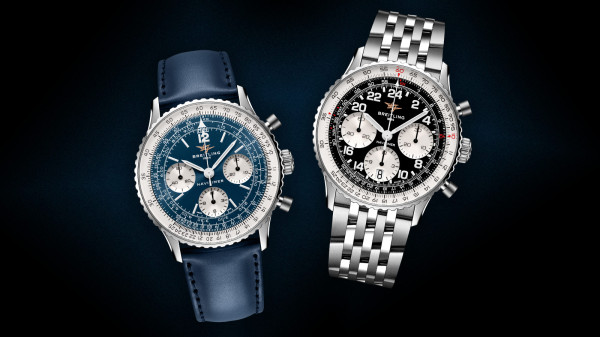
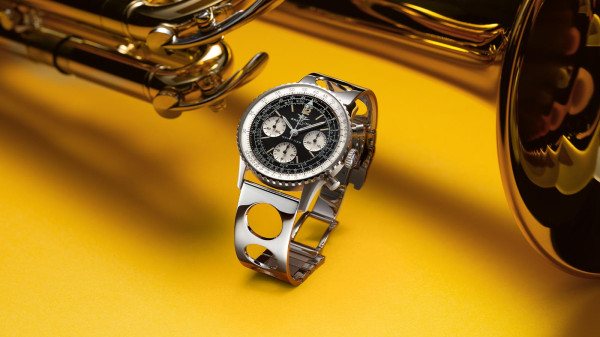
There are a lot of useful bezel variations out there, whether it’s your tachymeter for measuring speed, your telemeter for measuring distance, or your pulsometer for measuring… well, pulse. But of all of them, the slide rule bezel stands out as the most useful – and notoriously complicated – watch tools out there. So, how does it work?
In essence, the bezel is a round version of an architect’s slide rule, meaning it has one side (the inner) that remains static, with another (the outer) that can be slid in either direction to calculate various equations. Unlike other bezels which offer one calculation however (even if you use a tachymeter to measure distance, it’s still the same calculation) the slide rule is like a tiny analogue computer, able to work out a host of different things – multiplications, divisions and conversions.
Multiplication
So, let’s break it down, starting with multiplications. This is done using the red 10 between two and three o’clock on the inner scale. You then slide the number you want to multiply x10 above it. As it doesn’t matter which number you multiply by which for the result, you can do this with either number. You then find the other number you’re multiplying on the fixed bezel and read the final result off the sliding bezel above it.
So, to put that into the context of a primary school maths problem: five children have six apples each. Because kids are healthy like that. How many apples are there in total? You slide the outer scale so that 50 is in line with the red 10 on the fixed scale. Then, you find six on the fixed scale and read off the number it lines up with, which will be 30. The happy, healthy children have 30 delicious apples. This is an incredibly simple example, but it works for much harder-to-multiply numbers than five and six and takes out any human error. You can also scale it up to larger numbers, turning 12.5 into 125, you just need to keep track of the decimal places yourself.
Division

Next, division. This is a little trickier as division only works one way, meaning the number you’re dividing always needs to be on the outer scale, the number you’re diving by always on the inner scale. Operationally though, it’s just simple if not simpler. Just line the two numbers up and read the result at the red 10. Again, you can scale up the dividend by 10s, you just need to once again remember where your decimal point is.
So, let’s say you were splitting a bill five ways (see our video at the end of the article which explains this in detail). Because I’m not a masochist, I’m going to say you all agreed to round up for a bit of an extra tip. The bill is £145, so you slide 14.5 on the outer bezel above fifty. Then you read the result above the all-important red 10. The result? £29. Personally, I’d round that up further to £30, but then I probably had most of the wine.
Distance Conversions
One very pilot-centric thing a slide rule bezel can do is rapid unit conversions. Look closely and you can see all the various units dotted around the fixed bezel. Naut, for nautical miles, KM for kilometres, etc. All you do is line up the number you’d like to convert and the result will sit nicely above the marking for the other unit. It’s simple, effective and brainless. All good things.
Speed Calculations
Like a tachymeter, you can also work out average speed, too. Likely even easier than the classic racing bezel, in fact. You know you’ve gone 75 miles in 30 minutes. So, line up 75 on the outer ring above 30 on the fixed ring. You can then read off the result, in this case 150mph, above the 60, i.e. the full hour. Yes, you’ve been speeding, but this is the Autobahn, that’s kind of the point.

Unit Conversions
Finally, you can use it for conversions of various things like temperatures and currencies. You just need to know the exact conversion rate first. For temperature that’s easy – one degree of Fahrenheit is 5/9th of a Celsius. So line up 50 on the rotating bezel (remember it’s in 10s, but I’m sure you can do that mental math), with nine on the fixed. The only other thing you have to remember here is to subtract 32 from the Fahrenheit result because temperatures are weird like that. So, you know it’s 32 Fahrenheit. Set the bezel to 50 over nine, which gives you 32 again. 32 degrees C is lovely and warm – but that’s before you account for the final step, which gives you a frigid 0 degrees. Brrr.
Currency Conversions
Currencies work the same, without that final step, you just need to know the current exchange rate. A dollar is currently equal to 0.8 good British pounds sterling. That’s 80p to you and me. So, put eight above the red 10 for the conversion (remember everything on the outer bezel is x10), meaning you have dollars on the inside, pounds on the outside. Then, find any number you want, they’re all converted and ready to make working out the price of your Maine Coast lobster dinner all the easier. If it costs $45 (the price of a twin Lobster dinner at Gilbert’s of Portland) then that’s £36.19. The downside is that you need to keep up to date with exchange rates.
There are a ton of other ways of using your slide rule bezel, depending on how you use the information shown, but if you can get a handle on these basics, you can use it to calculate pretty much anything. Granted some things are easier than others – there’s not room for every possible unit, ready for conversion – but if you have a notebook, pen and a bit of maths, you should be fine. There’s a good reason it’s considered an analogue calculator.
View this post on Instagram